| 66 |
SQL
DELETE PROCESS
|
admin |
Apr 28, 2016 |
325 |
|
* DELETE PROCESS * Begin DELETE FROM DEMO_CUSTOMERS WHERE CUSTOMER_ID = :P9_CUSTOMER_ID; Commit; End;
|
| 65 |
SQL
Global & Custom Serach
 |
admin |
Apr 28, 2016 |
324 |
|
|
| 64 |
SQL
INSERT PROCESS
|
admin |
Apr 28, 2016 |
352 |
|
* INSERT PROCESS * Begin INSERT INTO DEMO_CUSTOMERS (CUST_FIRST_NAME, CUST_LAST_NAME, CREDIT_LIMIT,NLS_TERRITORY,ACCOUNT_MGR_ID, CUST_EMAIL ) VALUES (:P9_CUST_FIRST_NAME, :P9_CUST_LAST_NAME, :P9_CREDIT_LIMIT,:P9_NLS_TERRITORY, :P9_ACCOUNT_MG...
|
| 63 |
JAVA
JAVA for delete
|
admin |
Apr 28, 2016 |
326 |
|
* JAVA for delete * javascript:apex.confirm(htmldb_delete_message,'DELETE');
|
| 62 |
SQL
LIST OF VALUE (DYNAMIC)
|
admin |
Apr 28, 2016 |
331 |
|
-- LIST OF VALUE(DYNAMIC) -- select CA_NAME d, CA_NAME r from CATEGORY_T order by 1
|
| 61 |
SQL
MAX
|
admin |
Apr 28, 2016 |
377 |
|
* MAX * select max(CREDIT_LIMIT) from DEMO_CUSTOMERS * MAX SEARCH PROCESS * Begin Select CUST_FIRST_NAME, CUST_LAST_NAME, CREDIT_LIMIT into :p1_max_First_NAME, :p1_max_last_NAME, :p1_max_credit_LIMIT from DEMO_CUSTOMERS where CREDIT_LIMIT = ...
|
| 60 |
SQL
Name Show
|
admin |
Apr 28, 2016 |
381 |
|
* Degignated People Name Show * DECLARE NAME_sv VARCHAR2(30); --Detail_sv VARCHAR2(30) := 'Change Details'; BEGIN if :P9_CREATE_SW = 0 then select CUST_LAST_NAME || ', ' || CUST_FIRST_NAME AS NAME into NAME_sv from DEMO_CUSTOMERS where CUSTO...
|
| 59 |
SQL
PHONE NUMBER
|
admin |
Apr 28, 2016 |
363 |
|
* PHONE NUMBER * Begin if :P9_CREATE_SW = 0 then for c1 in ( Select CUSTOMER_ID, PHONE_NUMBER1 from DEMO_CUSTOMERS ) loop if c1.CUSTOMER_ID = :p9_CUSTOMER_ID then :p9_PHONE_NUMBER1 := c1.PHONE_NUMBER1; end if; end loop; end if; end;
|
| 58 |
SQL
UPDATE PROCESS
|
admin |
Apr 28, 2016 |
352 |
|
* UPDATE PROCESS * begin UPDATE DEMO_CUSTOMERS SET CUST_FIRST_NAME = :P9_CUST_FIRST_NAME, CUST_LAST_NAME = :P9_CUST_LAST_NAME, CREDIT_LIMIT = :P9_CREDIT_LIMIT, NLS_TERRITORY = :P9_NLS_TERRITORY, ACCOUNT_MGR_ID = :P9_ACCOUNT_MGR_ID, CUST_EMAI...
|
| 57 |
General
Apex setup procedure
|
admin |
Apr 28, 2016 |
407 |
|
Apex setup procedure 1. oracle developer installation a. tablespaces create (gracework) create tablespace Gracework datafile 'C:oraclexeapporacleoradataXEGRACEWORK.DBF' SIZE 20M AUTOEXTEND ON; b. User table create (gracework) 2. EditPlus 3.4...
|
| 56 |
General
CREATE TABLESPACE
|
admin |
Apr 28, 2016 |
403 |
|
---11G--- create tablespace GRACEWORK Datafile 'C:oraclexeAPPORACLEORADATAXEGRACEWORK.DBF' SIZE 20M AUTOEXTEND ON; create tablespace LORDWORK Datafile 'C:oraclexeAPPORACLEORADATAXELORDWORK.DBF' SIZE 20M AUTOEXTEND ON; create tablespace HAIWO...
|
| 55 |
JAVA
Delete Message - Are you sure you want to delete this object?
|
admin |
Apr 28, 2016 |
297 |
|
HTML Header ------------------------- <script language="JavaScript" type="text/javascript"> function deleteConfirm(msg) { var confDel = msg; if(confDel ==null) confDel= confirm("Are you sure you want to delete this object???"); else confDel=...
|
| 54 |
General
Captcha Test
|
admin |
Apr 18, 2016 |
400 |
|
|
| 53 |
General
How-To Document / Change a Logo in a Page Template
|
admin |
Apr 16, 2016 |
409 |
|
How-To DocumentChange a Logo in a Page Template Date: 28-Oct-2003 After completing this How-To, you should be able to understand: Upload an image from your filesystem to Oracle Application Express (formerly called HTML DB) Use the uploaded i...
|
| 52 |
SQL
Field Showing
|
admin |
Apr 01, 2016 |
358 |
|
select CUSTOMER_ID, CUST_FIRST_NAME, CUST_LAST_NAME, CUST_STREET_ADDRESS1, CUST_STREET_ADDRESS2, CUST_CITY, CUST_STATE, CUST_POSTAL_CODE, PHONE_NUMBER1, PHONE_NUMBER2, CREDIT_LIMIT, CUST_EMAIL, NLS_TERRITORY, ACCOUNT_MGR_ID, LAST_MODIFIED_ON...
|
| 51 |
Upgrading to APEX 5
|
admin |
Oct 07, 2018 |
872 |
|
Upgrading to APEX 5 on Oracle XE 11gPosted on May 25, 2015 It’s a Bank Holiday weekend here in the UK. This is usually a time for doing odd-jobs as a distraction from watching the rain come down. This time around, rather than subject you to ...
|
| 50 |
Oracle APEX – XDB Authentication Popup dialog
|
admin |
Oct 07, 2018 |
1003 |
|
SQL > ALTER USER ANONYMOUS IDENTIFIED BY anonymous; SQL> ALTER USER ANONYMOUS ACCOUNT UNLOCK; SQL> ALTER USER XDB IDENTIFIED BY xdb; SQL> ALTER USER XDB ACCOUNT UNLOCK; ************************************************ DECLARE l_configxml XML...
|
| 49 |
 |
Oracle APEX – XDB Authentication Popup dialog
|
admin |
Oct 07, 2018 |
1248 |
|
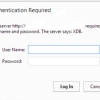
XDB username and password required When installing Apex on 12cR2 multitenant this popup appears: This Popup appears when user : ANONYMOUS status is LOCKED or EXPIRED . Solution: Connect as sysdba to CDB$root then alter user account status: S...
|
| 48 |
default XDB account
|
admin |
Oct 07, 2018 |
913 |
|
When you install oracle apex on your operating XDB account automatically created and it's default port is 8080 and it's offline server is localhost or ip 127.0.0.1. To access localhost:8080 it needs a username and password. May be that's you...
|
| 47 |
netsh http add iplisten 127.0.0.1
|
admin |
Oct 07, 2018 |
566 |
|
netsh http add iplisten 127.0.0.1
|


